DigiDarkroom
Darkroom gestures for digital photo editing: turn a disc to set exposure, sweep a paddle to dodge or burn, press a stamp to export.
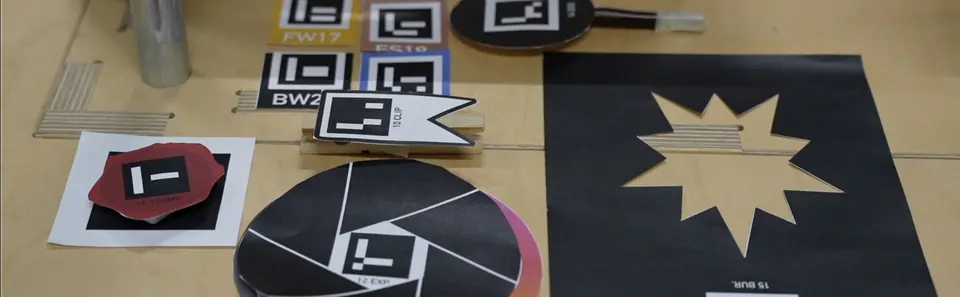
Editing software kept the darkroom's words, dodge and burn, and lost the gesture. You select a region and adjust numbers. The tools we use shape how we think (Imus, 2018).
Bring the embodied experience of the analogue darkroom into digital photo editing.
- Note 01 A token placed on the table starts an edit.
- Note 02 Three discs turn to set exposure, contrast and saturation, like the aperture ring on a lens.
- Note 03 Two paddles sweep over the print to dodge and burn. Filter tiles stack for colour grading, and holding the stamp for two seconds exports the photo.
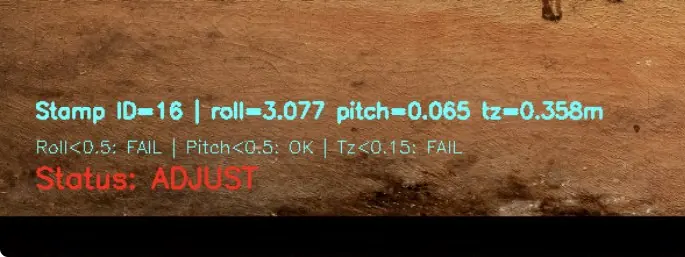
One camera above the table reads each tool's AprilTag, a printed marker that gives position and rotation. The positions go to an iPad, which updates the photo live. I wrote the tracking in Python with an AI coding assistant.
A usability test and a comparison with professional editing software. The camera reads the markers less reliably as the light changes, and every new tool needs its own affordance and calibration.